Buy from your neighbourhood.
Plan your meals.
Waste less.

Your menu turns into a shopping list, and the list takes you to the local shops next door. Eating well and close to home, without the fuss.

MenuYou decide the week
ListMakes itself
LocalYou buy close by

What we are —

This isn'tabout apps.It's about your neighbourhood.

(the app only makes the shopping list)

From menu to your neighbourhood in three steps.

You plan, the list makes itself and you buy close by. Buying just enough and wasting less isn't one more step: it's what happens when the loop closes.

01
Step 01

Plan

You choose what to eat this week: your recipes, the catalogue or, if you draw a blank, with the AI Chef based on your schedule and how many are eating.

You decideHelp if you want itTwo minutes
02
Step 02

Your list makes itself

The app matches your menu against your pantry: you only buy what you're really missing, in the amounts you'll really use. Nothing forgotten at the back of the fridge.

Matched with pantryBuy just enoughDown to the gram
03
Step 03

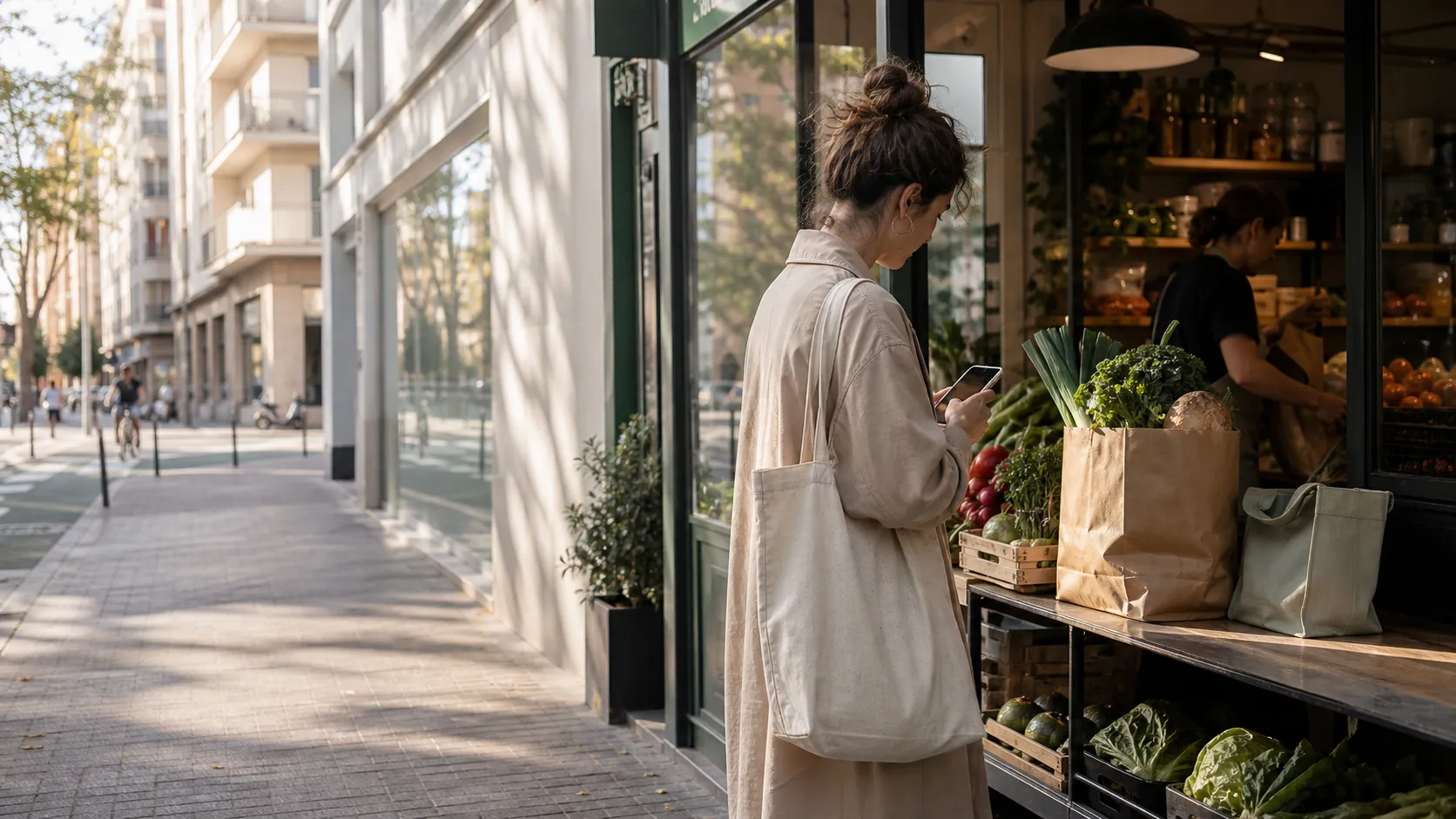
Buy from your neighbourhood

The list turns into an order for the shops in your neighbourhood. Local produce, not a distant warehouse — and the money you spend on food stays close by.

Neighbourhood shopsClose byMoney stays local

Try it right here. No sign-up.

Pick up to three dishes and watch the list print itself, grouped by the shops in your neighbourhood.

Tap up to 3 dishes

KITCHEN LOOPyour basket · this week

— pick dishes and watch
the list build itself —

extra items0
covered in your neighbourhood
thanks for buying local

One screen for each moment of the day.

From Sunday to Sunday: you plan, buy, cook and share from the same digital kitchen.

  1. 01Plan
  2. 02Pantry
  3. 03Basket
  4. 04Recipes
  5. 05AI Chef
  6. 06Community
01 · Weekly plan

Drag & drop your week in two minutes.

Choose which slots you plan — breakfast, lunch, dinner — and drag recipes in from your catalogue. The basket works itself out.

  • Up to 5 slots a day with suggested times
  • Week or day view
  • Slots by course: starter, main, dessert
  • Validation: you can't move on with a half-done plan
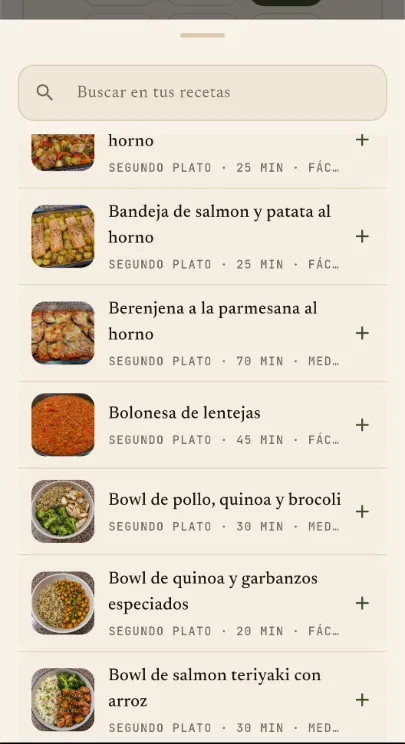
Real mobile screen for planning the menu with a recipe catalogue
Sunday, 18:40 — menu done
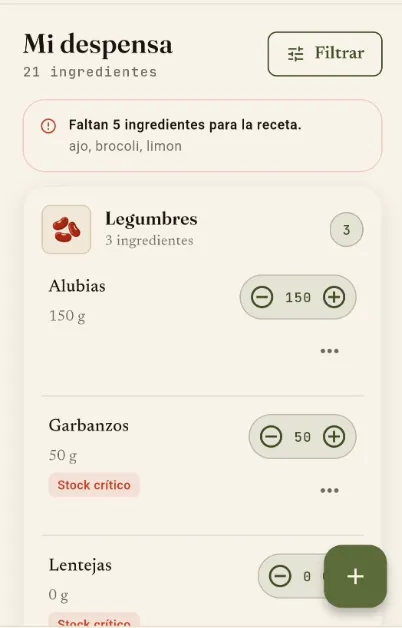
02 · Pantry

You know what you have. We cook with that.

Your digital pantry syncs with recipes, basket and AI Chef. No double buying, no "I think I've still got rice".

  • Inventory by category
  • Automatic low-stock alerts
  • Quick stepper to adjust amounts
  • Alphabetical catalogue when adding
Real mobile screen of the pantry with ingredients, a filter and quick quantity control
what's at home, without opening the fridge
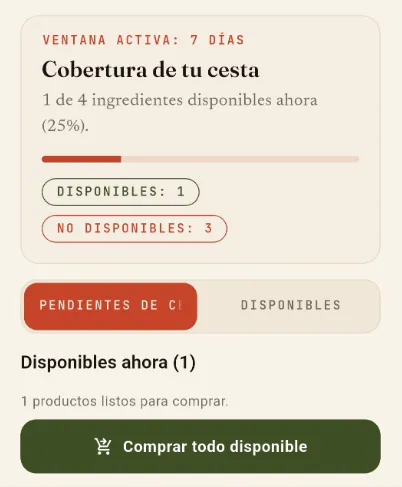
03 · Basket & shops

From menu to your local greengrocer.

The week's list comes out combined and down to the gram. We match it against the real stock of your partner shops so you buy what's there.

  • Combined list with traceability by recipe
  • Coverage by shop in real time
  • Basket shared with whoever cooks with you
Real mobile screen with basket coverage by shop
your usual greengrocer has almost everything
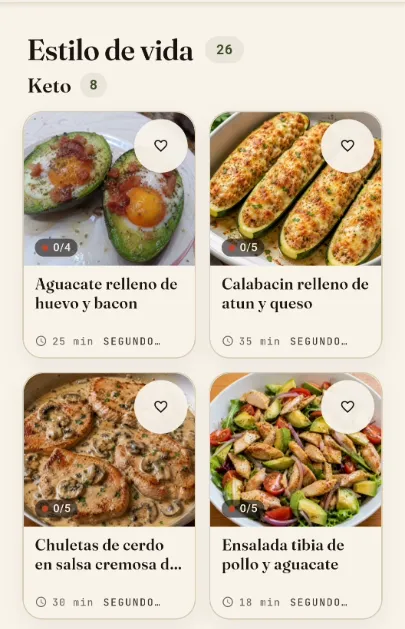
04 · Recipes & packs

A library that adapts to you.

Recipes from the catalogue, your own, or themed packs to start with a repertoire ready to go. Filter by season, diet, allergies, level and goal.

  • Packs: Mediterranean, Keto, Batch < 20 min, Vegan…
  • Scaled by servings and appetite
  • Matched with pantry: see what you're missing
  • Favourites and search with AI help
Real mobile screen of recipes filtered by lifestyle
seasonal recipes, not stock recipes
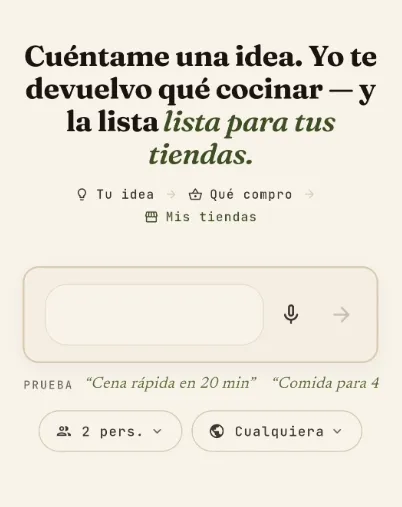
05 · AI Chef

A helper for when you draw a blank.

Right inside the same flow: ask it by voice or in writing and it combines flavours with your pantry, schedule and how many are eating. It gives back a recipe ready to cook, photo included.

  • Ideas when you don't know what to cook
  • Cook with what's in your pantry
  • Adapts to your schedule and how many are eating
Real mobile screen of the AI Chef with a prompt, options for how many are eating and type of cuisine
you ask it like you'd ask a friend
06 · Community

Cooking, not alone but together.

Share your weekly menu, discover how others cook, join groups by common ground. Reactions that make sense in a kitchen — not empty likes.

  • Everyone / Following feed
  • Groups by goal, household, culture
  • Your impact: savings and waste avoided
  • Shops that cook post too
Real mobile screen for sharing the weekly menu with the community
the menus being cooked close by

One chain, two links.

Same neighbourhood, same chain. We connect whoever cooks with the shop that supplies them.

See the shops' side →

When the loop closes

What changes really counts.

No points, no badges. Just three simple consequences of deciding first what you're going to cook.

  1. 01
    You buy just enough

    The menu decides before the trolley does.

  2. 02
    You buy close by

    The produce comes from the neighbourhood, not a distant warehouse.

  3. 03
    The money stays close

    The shop goes back to the one right next to you.

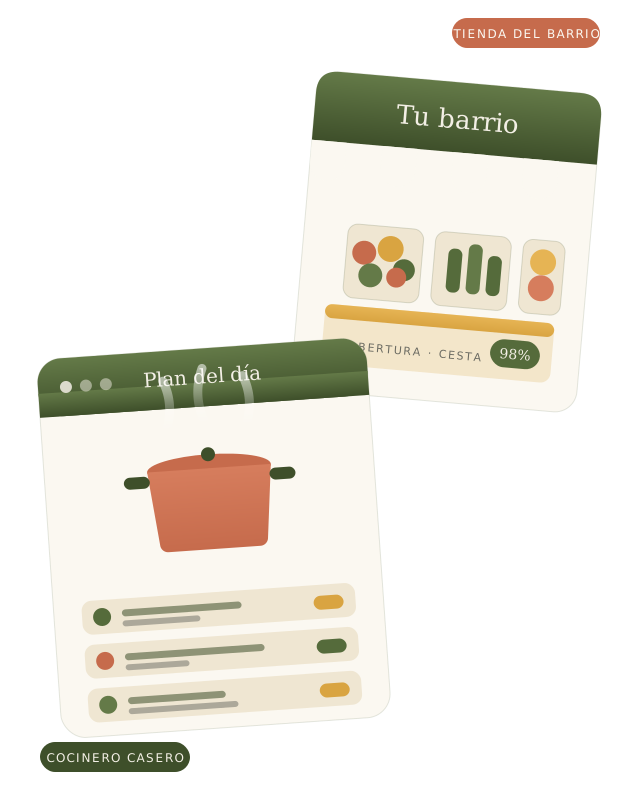
Collage of the cook's home kitchen connected to the neighbourhood shop

We cook what we build.

Kitchen Loop didn't come out of a boardroom. It came out of a small kitchen, a neighbourhood greengrocer, the question we asked ourselves every Sunday: what do we buy this week without half of it going to waste?

We built it with home cooks, shops that know their customers by name and developers who cook too. That's the community: people around the same table, not a logo in a footer.

The Kitchen Loop team, between stove and terminal.

Neighbourhood notice

Your kitchen, connected to your neighbourhood.

Kitchen Loop is built week by week with home cooks and shops that cook. Sign up and we'll let you know when we open in your area — whether you cook or you sell.